Mail: contact@nexopos.com
Phone: +1(940)623-9260
Start using NexoPOS for free on Windows Download NexoPOS
Download NexoPOS
If you already have purchased the product, you can download it from your account downloads.
The Bulk Editor is a module designed to simplify batch updates of resources on NexoPOS. Compatible with NexoPOS 6.0.x, you'll mainly use it to change product categories, status, barcode type, and more.
Once the module is installed on NexoPOS, you can head to the "products" list. From there, you'll choose the product you want to edit.
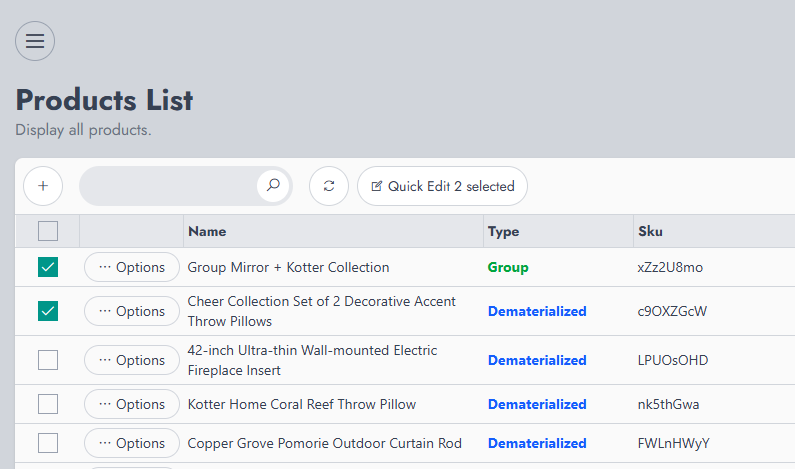
By clicking on "Quick Edit X selected" (where X is the number of selected items), you'll launch the Bulk Editor pop-up.
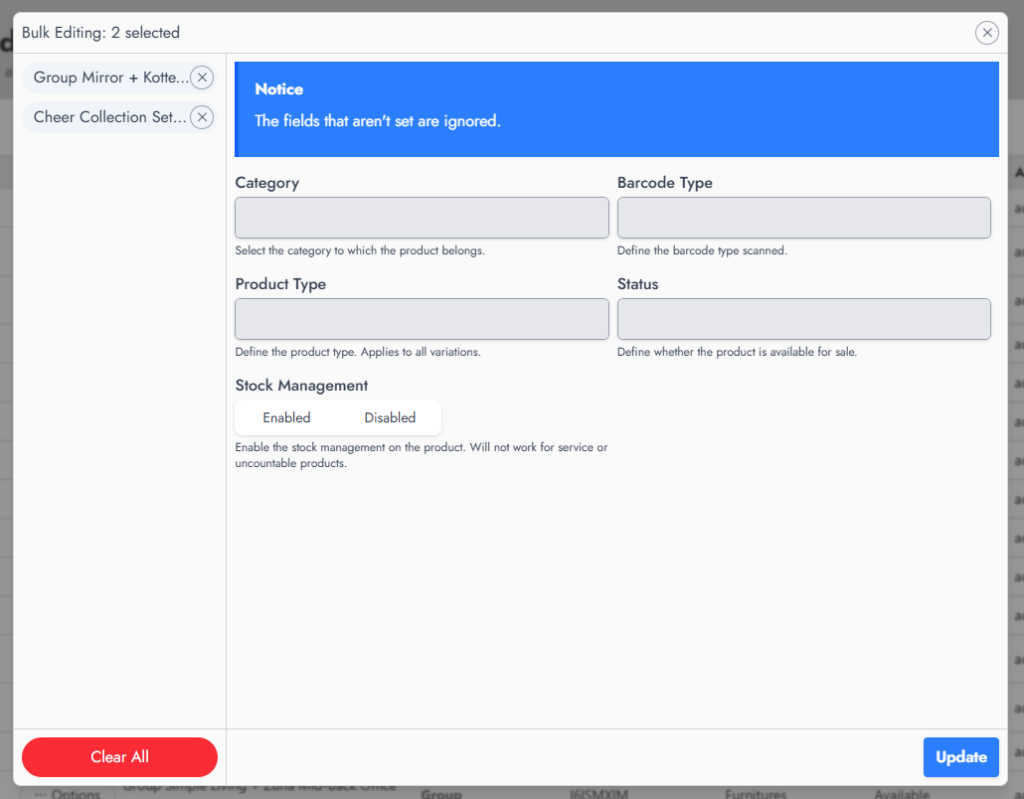
This pop-up displays a list of the items that have been selected. At any time, you can adjust the items you want to edit by removing those you don't want to include. Once you're set with your change, click on "Update".

WooCommerce Sync For NexoPOS 4.x is a module that ensures...

The Stock Transfers module ensures to be able to transfers...

If you already have purchased the product, you can download it from your account downloads.