Mail: contact@nexopos.com
Phone: +1(940)623-9260
Start using NexoPOS for free on Windows Download NexoPOS
Download NexoPOS
If you already have purchased the product, you can download it from your account downloads.
The Options Export/Import module was initially created to allow exporting module settings for an easier import elsewhere. The module scans for other modules' settings and pulls options set in the database to store them in a JSON file.
The module should be installed as any regular NexoPOS module. For more details, check the instructions on how to install a module on NexoPOS.
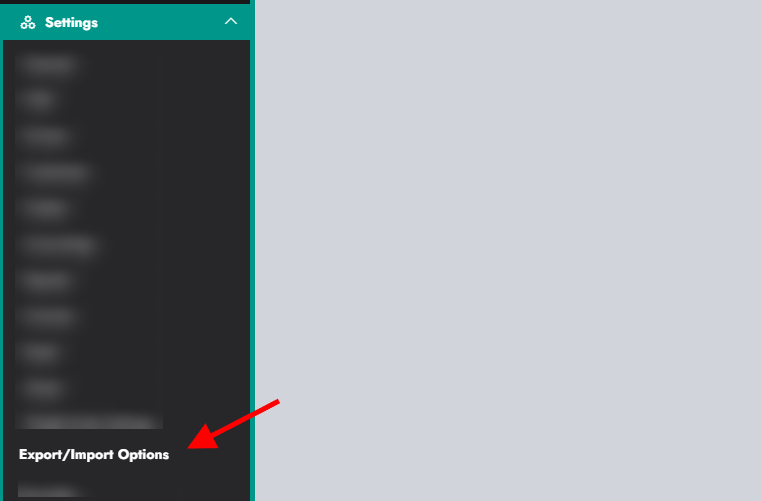
Once the module is installed and enabled, a new menu will be added to the settings.
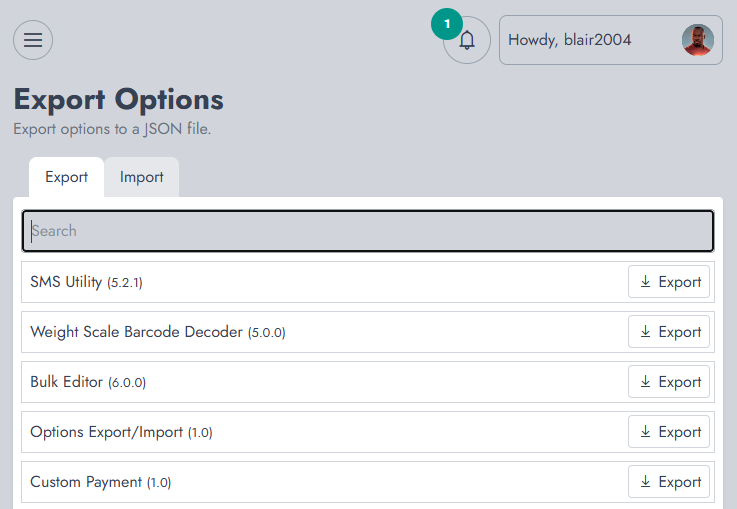
From that page, you'll see two tabs: exporting and importing.
You need to search for a module and click on export to get its settings saved as a JSON file.
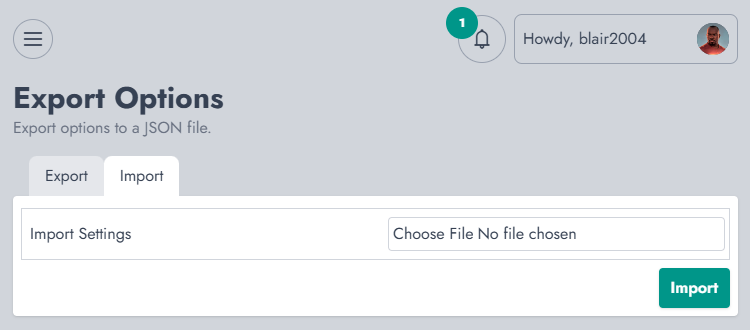
The process of importing is very simple. When you click on "Import", you need to select the file you exported and confirm your action to import it.

The Stock Transfers module ensures to be able to transfers...

WooCommerce Sync For NexoPOS 4.x is a module that ensures...

The Email Service Provider is a module that helps configure...
If you already have purchased the product, you can download it from your account downloads.